Before making a payment, what really needs to be verified is not a reference price on the product page, but the final amount due on the checkout page for the same product, same variant, and same shipping conditions. For buyers looking for JBL products through Fashionreps, the safest approach is to record the product price, service fees, packaging fees, international shipping, exchange rate, and possible taxes separately; if any o
Before making a payment, what really needs to be verified is not a reference price on the product page, but the final amount due on the checkout page for the same product, same variant, and same shipping conditions. For buyers looking for JBL products through Fashionreps, the safest approach is to record the product price, service fees, packaging fees, international shipping, exchange rate, and possible taxes separately; if any one of these items cannot be matched, pause the payment.

First confirm whether the product on the page is actually the target earbuds
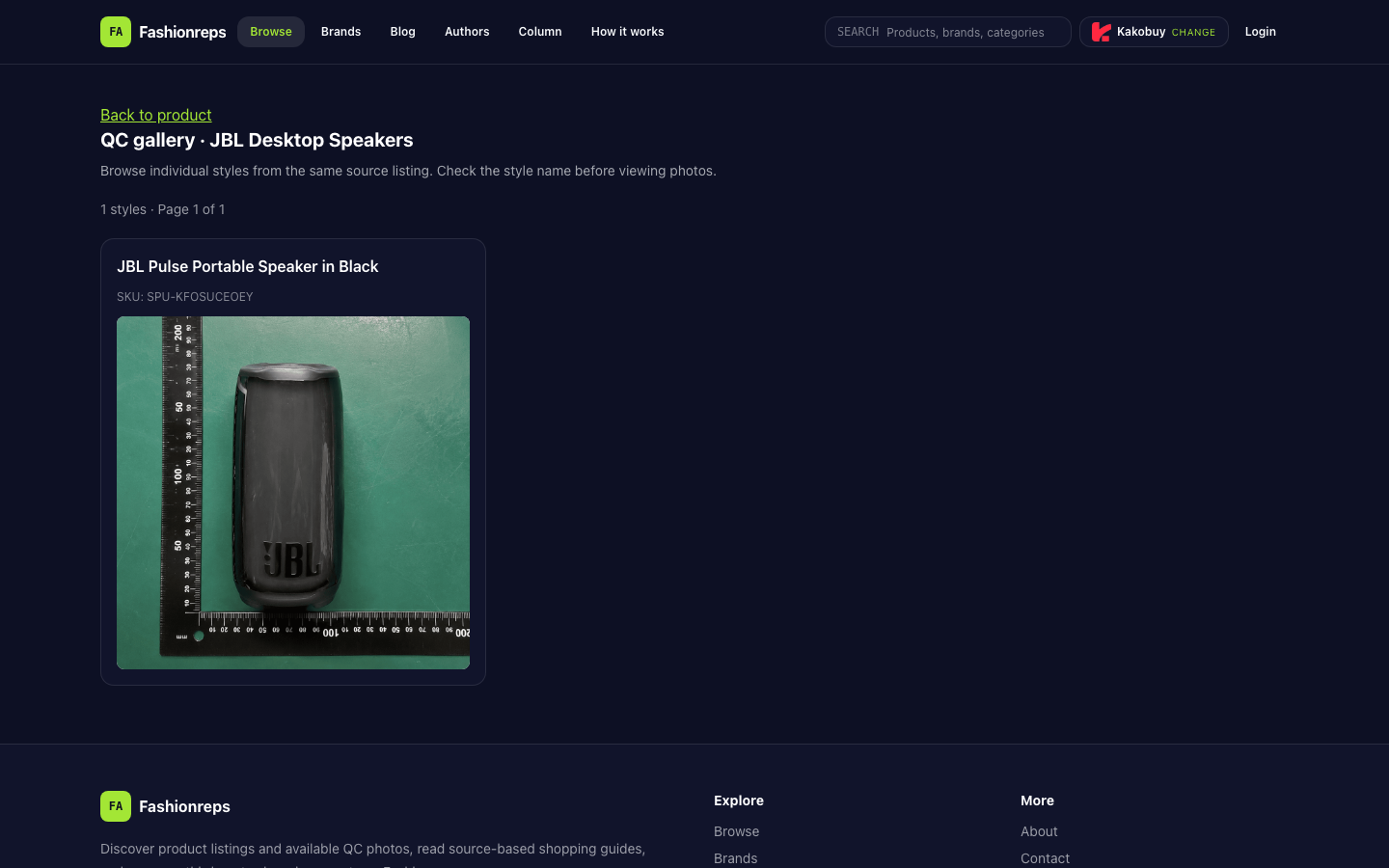
The source page available for verification this time does not provide complete product information for a JBL earbuds. The item name found is "JBL Pulse Portable Speaker in Black," with SKU "SPU-KFOSUCEOEY," which is a portable speaker, not earbuds. The existing evidence also does not provide the earbuds model, color, capacity, or corresponding purchase link.
Therefore, the price, stock, shipping, or features of this item cannot be used as a basis for purchasing JBL earbuds. If your target is a specific model of JBL earbuds, you should first return to the product page to confirm the following fields:
- Exact model, such as series name and model suffix
- Variant information like color, version, or capacity
- Currency and price currently displayed on the product page
- Whether the product can still be added to the cart
- After entering the cart, whether it still corresponds to the same product and variant
As long as the product name changes from earbuds to speaker, or the model or color cannot be matched, you should not use this record to calculate the total cost.
Record amounts with unified fields separately
Do not directly write the single price on the page as the "final cost." It is recommended to create a row record for the same query and keep the original displayed value of each field.
| Field | Record content | Verification condition |
|---|---|---|
| Product price | Product amount in cart or order | Must correspond to target model and variant |
| Discount | Discount or promotion actually applied on the page | Record applicable threshold, validity period, and whether it is automatically applied |
| Service fee | Agency or platform processing fee | Subject to current order or official fee description |
| Payment fee | Fee generated by payment method | Can only be recorded as a specific value when clearly shown on checkout page |
| Packaging fee | Reinforcement, repackaging, or other handling fees | Distinguish between mandatory fees and optional services |
| International shipping | Shipping cost after selecting a route | Need to specify destination, weight, volume, and route conditions |
| Exchange rate | Conversion rate used on the page or payment channel rate | Cannot be replaced by rates from another time or channel |
| Taxes | Taxes shown on checkout page or clearly required by destination rules | Cannot be estimated as zero when evidence is insufficient |
| Final amount due | Total shown on checkout page before payment | Must be consistent with aforementioned fields and currency |
If the platform only shows the product price and does not show service fees, packaging fees, or shipping, do not fill in common percentages on your own. Mark that field as "to be confirmed" instead of speculating an amount.
Align page by page, rather than copying numbers separately
The first step is to confirm the target product on the product page. Record the page time, product name, model, variant, currency, and product price, and save a screenshot that can clearly show these fields. The product page price can only serve as an initial reference and cannot be automatically considered as the payment amount.
The second step is to add the same product to the shopping cart. Check whether the product name, variant, and quantity remain consistent. If the cart shows a different model, different color, or an unrecognizable abbreviated name, first return to the product page to confirm; do not continue to add up costs.
The third step is to enter the checkout page. Record the service fee, payment fee, packaging fee, domestic shipping, international shipping, exchange rate, and taxes separately. If the platform combines multiple fees into one item, save the complete name of that item and note that it cannot be further broken down; do not rewrite the combined amount into sub-items that are not supported by the page.
The fourth step is to verify the currency. The product price may be in one currency, and the payment page may be in another. Only record a specific conversion result when the page or actual payment channel clearly provides the conversion method. Exchange rates seen at different times cannot be directly mixed.
The fifth step is to check the total amount near the payment button. Compare it item by item with your records. If the total does not match the sum of the individual fields, first look for automatic packaging, payment handling fees, route surcharges, or taxes, rather than paying directly.
Situations where payment must be paused
When any of the following occurs, the order should be kept in a pending confirmation state:
- The product page shows a speaker or other product, while the target is earbuds
- Model, color, version, or quantity is inconsistent across different pages
- Product price is shown, but service fee or other necessary fees are not described
- International shipping is not determined based on actual destination and package conditions
- The page shows multiple currencies, but it is not clear which one is used for the current payment
- Whether a discount applies, whether it is automatically applied, or whether there is a threshold cannot be confirmed
- The checkout page total cannot be matched with itemized amounts
- Tax liability or collection timing is unclear
- Product link is invalid, cannot be added to cart, or inventory status cannot be verified
Pausing does not mean the product is necessarily not worth buying; it just means the current evidence is insufficient to support a specific judgment on the "final amount due."
How to save a reviewable cost record
It is recommended to keep a brief record for each pre-payment check, including at least: query date and time, product page screenshot, shopping cart screenshot, checkout page screenshot, target variant, each fee field, currency, payment channel, and items still unconfirmed at that time.
The screenshots should clearly show the product name, amount, currency, and page status. If the platform's fees change after selecting a route, packaging service, or payment method, save the pages before and after the change separately to avoid combining numbers from different conditions into a non-existent order.
This source can only prove that a JBL portable speaker item named "JBL Pulse Portable Speaker in Black" was checked, and cannot prove the price, stock, shipping, service fees, or final amount due for any JBL earbuds. Therefore, before obtaining valid product page, cart, and checkout page data for the target earbuds, this article should not be recorded as a purchase quote for those earbuds, nor should it be claimed that a fixed amount can be saved.
Reader extracts
0 approved
No approved comments yet.