First Determine: Page Opening Doesn't Mean Variant Info Is Complete If the Off-White product detail page opens normally but color, size, or style options are not fully displayed, you cannot immediately conclude it's a page malfunction, nor can you treat the page title information as all purchasable variants. First distinguish three situations: the page only shows overview fields, some variants failed to load, or the current product record itself lacks complete variant evidence. The currently
First Determine: Page Opening Doesn't Mean Variant Info Is Complete
If the Off-White product detail page opens normally but color, size, or style options are not fully displayed, you cannot immediately conclude it's a page malfunction, nor can you treat the page title information as all purchasable variants. First distinguish three situations: the page only shows overview fields, some variants failed to load, or the current product record itself lacks complete variant evidence.
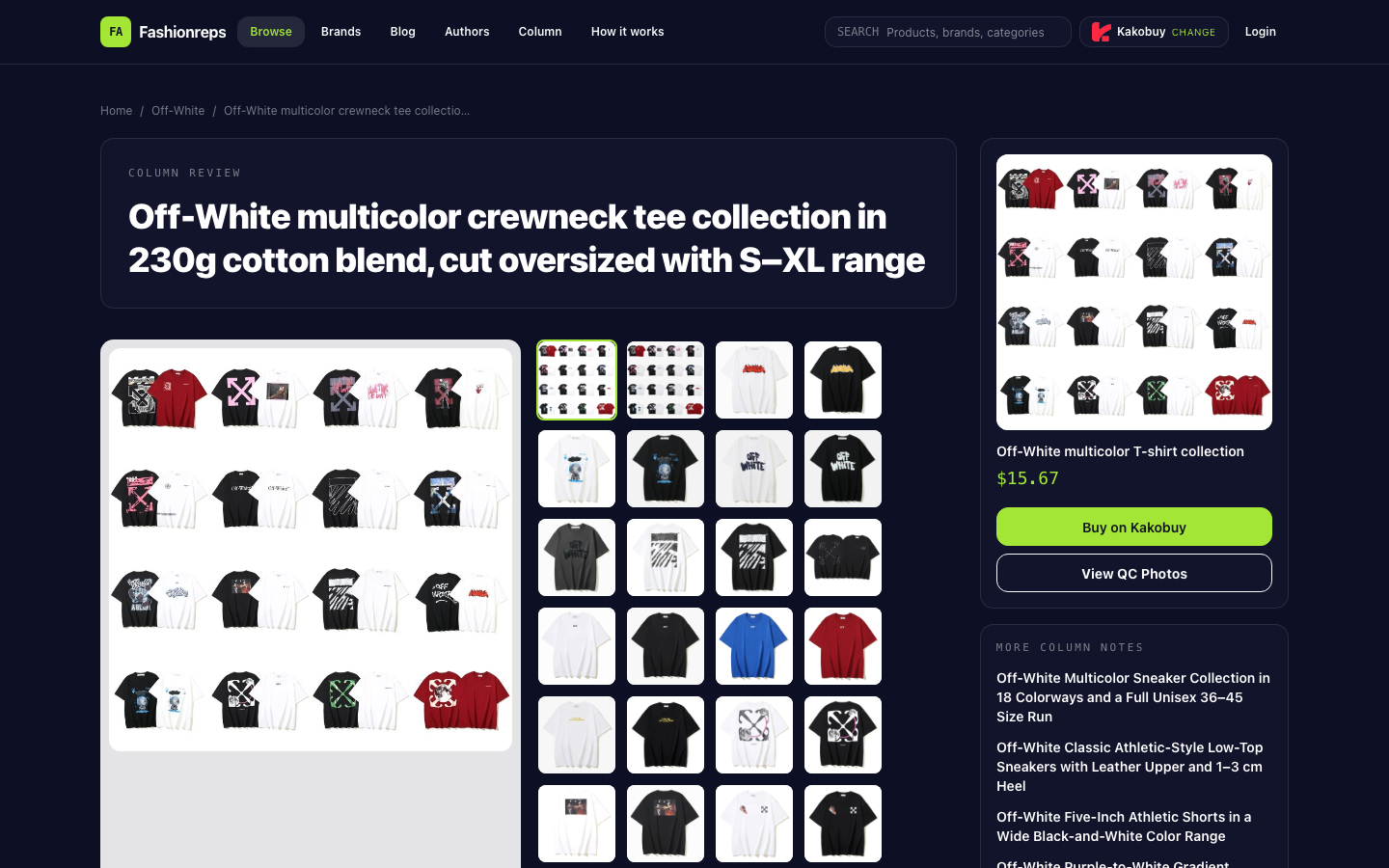
The currently visible product page information includes Off-White multicolor crewneck short-sleeve series, 230g cotton blend, relaxed fit, and an S–XL size range. The page also hints at many color options, but this overview information cannot prove that every color and every style can be selected during the ordering process. The reference price on the page is not the final product price; service fees and international shipping need to be confirmed with the shopping agent platform.

Image: Product page detail verification illustration, not to be used as evidence of the actual Off-White product, QC, or purchase.
Step 1: Save Current Page Evidence
Before refreshing or switching shopping agents, save the following information:
- Original product page URL, not just the site homepage or search results page.
- Page title and brand classification.
- Currently visible color, size, and style fields.
- Whether there is a size chart, product image switcher, QC image entry, or purchase button.
- The reference price displayed and how it is annotated.
- Time, device, and browser environment when missing fields appear.
Screenshots should include the page title, address bar or identifiable page location, and the currently missing fields. Do not only capture product images; otherwise, customer service cannot confirm which product record the issue corresponds to.
Step 2: Confirm Whether It's a Display Issue or Insufficient Evidence
Reproduce in the following order to avoid repeatedly placing orders or switching products at the outset:
- Reopen the original product page on the same device, and record whether the fields are consistent after first load and refresh.
- Exit the shopping agent selection that may affect page state, then view the product detail page again.
- Open the same URL on desktop and mobile separately, and compare whether color, size, and style fields differ.
- Check if the page only has a product overview without clickable variant selectors or a size chart.
- Click into the purchase flow and confirm whether the shopping agent page requires re-selecting color and size.
- If the options in the purchase step are fewer than the range implied by the page overview, save screenshots of both places; do not fill in missing options yourself.
The key judgment is not "does the page say S–XL" but whether the target variant can be clearly identified and selected in the purchase flow. For example, if the page says S–XL, it only proves the page lists this range; if specific colors do not have corresponding sizes, or style names cannot be matched one-to-one with images and links, it remains a case of insufficient key evidence.
Step 3: Separate Visible Facts from Speculation
It is recommended to record troubleshooting results in three columns:
| Record Category | Content to Record | Handling |
|---|---|---|
| Confirmed | Page title, currently visible fields, original URL, screenshot time | Can be used as basis for subsequent communication |
| To be confirmed | Sizes for each color, specific styles, stock status, final costs | Verify with page operator or shopping agent |
| Cannot infer | Actual stock of missing variants, prices of missing options, quality of undisplayed styles | Do not fill in or substitute orders yourself |
For this product page, 230g cotton blend, relaxed fit, and S–XL range are visible descriptions in the page materials; they cannot replace confirmation of a specific color or style variant. The page materials also explicitly state that specific batches have no independent buyer evidence, so general Off-White sizing or print feedback cannot be used to prove the actual situation of the current missing variants.
Step 4: Seek Help from Official Channels or Shopping Agent
If key variants are still missing after repeated opens, submit one complete issue to the product page operator or the chosen shopping agent. The message should include at least:
- Original product page URL.
- Page title and product identifier.
- Whether color, size, style, or options in the purchase step are missing.
- Reproduction results on desktop, mobile, or different browsers.
- Page screenshots and purchase step screenshots.
- Reproduction time and whether you have already switched shopping agents.
- The specific question you want them to confirm, such as "Does this color have corresponding S–XL sizes?", rather than a vague "Why can't I buy it?"
Ask them to clearly state purchasable variants, corresponding prices, and whether a new product link is needed. If they only reply "in stock" or send a generic page that cannot correspond to specific colors and sizes, it cannot be considered variant confirmation.
Pause Ordering When These Situations Occur
In any of the following cases, stop payment or order submission first:
- The target color, size, or style cannot be clearly selected on the page or in the purchase step.
- The range shown in the page overview does not match the actual options in the purchase step.
- The product link is redirected to another product record that cannot be confirmed.
- Customer service cannot confirm the missing variant, or only provides vague "random shipment" instructions.
- The page does not have enough information to map product images, style names, and specific variants.
- Need to rely on usual sizing, adjacent colors, or links to other products to substitute missing options.
- The page shows a price, but service fees, international shipping, or final product costs are not yet confirmed.
Until these conditions are resolved, you cannot treat page accessibility, complete title, or presence of a purchase button as evidence of safe ordering. The safest conclusion is: save evidence first, complete cross-device and purchase step reproduction, then ask official channels or shopping agents to confirm specific variants; if key fields still cannot be closed-looped, pause operations.
Article Image
Reader extracts
5 approved
Reader score 4.2 / 5 (5 ratings)
Bookmarked. Ran into the exact scenario with a tee where the detail page opened but style options were half missing. Followed your logic, confirmed the record itself was thin, and moved on instead of waiting for a fix that was never coming.
ducktape_dan 5 / 5
Separating "overview fields only" from "some variants failed to load" is the useful part here. I wish more guides said this plainly instead of jumping straight to "page is broken." Saves a lot of pointless ticket submissions.
PriyaN 4 / 5
helpful but i still cant tell when its a partial load vs a missing record. is there a reliable way to check besides refreshing a bunch? the size dropdown just stays blank for me on some offwhite items.
kenta_88 3 / 5
The tip about not treating the page title as every variant is so true. I used to assume the title covered all the colors and then got confused when checkout only offered black. Now I scroll the variant selector first before adding anything to the cart.
Tasha B. 5 / 5
Good breakdown of the three cases. I hit this last week on a hoodie where the page loaded fine but only showed one color. Turned out the size list was just empty in the record, not a loading bug. Reloading did nothing, so I picked a different listing.
marco_vl 4 / 5