A coupon not showing doesn't necessarily mean the order can't use a discount. The safer approach is to first confirm the product variant matches, then review the coupon terms, and finally rely on the checkout page order lines and payable amount. The currently verifiable product data shows that this other multicolor sports jersey collection includes 5 independent styles, including the yellow Argentina Messi #10 jersey,
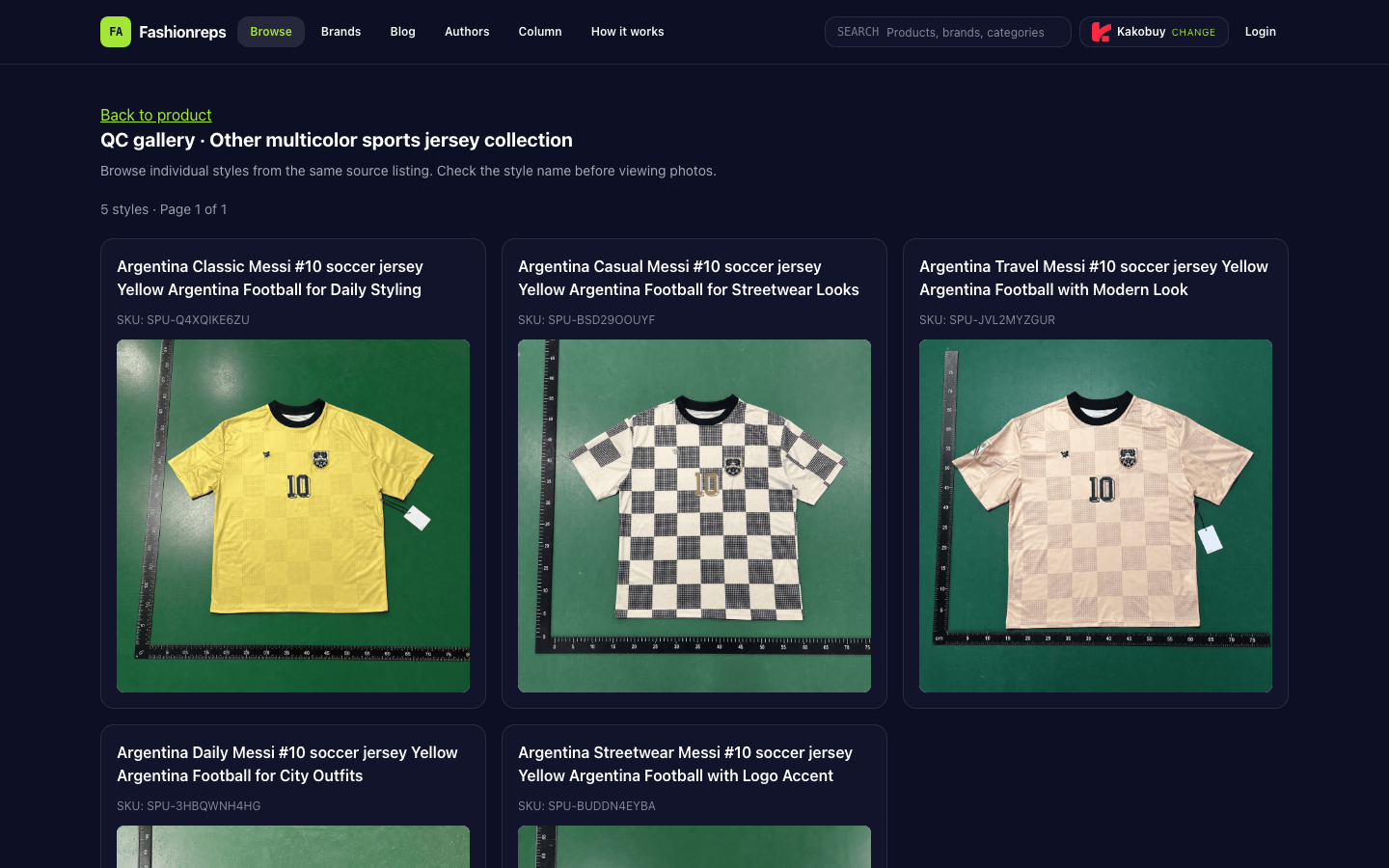
A coupon not showing doesn't necessarily mean the order can't use a discount. The safer approach is to first confirm the product variant matches, then review the coupon terms, and finally rely on the checkout page order lines and payable amount. The currently verifiable product data shows that this other multicolor sports jersey collection includes 5 independent styles, including the yellow Argentina Messi #10 jersey, but the data doesn't provide a confirmable coupon code, discount percentage, minimum spend, validity period, or exclusions. Therefore, you cannot assert that a certain variant definitely has a discount, nor guarantee an automatic reduction after ordering.

First Confirm Which Variant You Selected
Under the same source product, there may be multiple styles. The page data lists 5 options:
- Argentina Classic Messi #10 soccer jersey Yellow
- Argentina Casual Messi #10 soccer jersey Yellow
- Argentina Travel Messi #10 soccer jersey Yellow
- Argentina Daily Messi #10 soccer jersey Yellow
- Argentina Streetwear Messi #10 soccer jersey Yellow
These styles have different SKUs, and you cannot judge they all have the same coupon conditions just by the description "yellow Argentina Messi #10 jersey." Before ordering, record the style name, color, size, and corresponding SKU shown on the product page, and confirm the cart line hasn't been replaced by another variant by the platform.
Pay special attention to these situations:
- You select one style on the product page, but after adding to cart, it shows a different style.
- The cart only shows a generic product name, and you can't confirm the specific SKU.
- Variant names are similar, but the product page lists them as different styles separately.
- The coupon entry is only open to some styles, but doesn't clearly show the applicable scope.
If you can't match the coupon conditions to a specific variant, pause payment, save product page and cart screenshots, and confirm with official customer service.
Then Check the Coupon Entry and Applicable Conditions
Currently, there is no verifiable official coupon data to prove that this product has a fixed coupon code or specific discount. You can check the platform page for clear terms in this order:
- Check whether the product page has a coupon entry, activity label, or applicable instructions.
- Open the coupon details and confirm whether it's limited to specific products, styles, colors, sizes, or SKUs.
- Check whether there are minimum spend, designated payment methods, regional restrictions, or new user restrictions.
- Check the validity period and usage time, and note whether the page time zone differs from local time.
- Check exclusions, such as specific products, sale items, or different styles not participating.
- Check whether stacking with other coupons is allowed, and confirm whether the platform requires manual claiming or checking.
If the page only shows general copy like "claimable" or "up to discount," without specific amounts, applicable scope, and deadline, don't treat it as a confirmed usable discount.
Use the Checkout Page to Determine If It's Really Reduced
Whether the coupon works should be based on the checkout page's order details and final payable amount, not just the activity prompt on the product page. It's recommended to record the following in order:
| Check Location | What to Record | Key Judgment |
|---|---|---|
| Product page | Style, color, size, SKU, activity prompt | Whether it exactly matches the target variant |
| Cart | Product name, quantity, unit price, coupon line | Whether corresponding coupon details appear |
| Checkout page | Product subtotal, coupon amount, shipping, tax, final payable amount | Whether the coupon actually changes the order amount |
If the cart shows a coupon but the checkout page's coupon amount disappears, rely on the checkout page and save before/after screenshots. If the checkout page has no coupon line at all and the final amount is the same as without a coupon, you cannot claim the coupon has taken effect.
Also, record product discounts separately from shipping, tax, or other fees. Even if the product subtotal changes, the final payable amount may be affected by other fees; without complete fee details, you cannot infer the actual savings.
Troubleshooting Order When Something's Off
When the coupon doesn't show or the amount doesn't change, troubleshoot in this order:
- Return to the product page and reconfirm style, color, size, and SKU.
- Remove the old cart line, then re-add from the confirmed variant.
- Reopen coupon details and check minimum spend, validity, exclusions, and stacking rules.
- Confirm cart quantity and product subtotal meet the terms.
- Go to checkout and check coupon line, product subtotal, and final payable amount.
- Screenshot product page, cart, and checkout page, and record the check time.
- Submit product link, variant name, SKU, coupon page, and screenshots to official customer service.
Before customer service confirms, don't treat "a coupon entry appears on the page" as "the order has received a discount," and don't create multiple test orders just to test the coupon. If the checkout amount still unchanged, pause payment and wait for official clarification or correction of the order line.
What Can and Cannot Be Confirmed Right Now
Existing product evidence can only confirm that this collection has 5 independent styles and provides corresponding style names and SKUs. It cannot support these specific claims:
- A certain style definitely has a coupon.
- There is a fixed coupon code or fixed discount percentage.
- The coupon has a clear minimum spend or validity period.
- The coupon can be stacked with other activities.
- The final payment amount will definitely be reduced after checkout.
Therefore, the most reliable judgment standard is the three conditions simultaneously satisfied: "variant matches, terms verifiable, checkout amount actually changes." If any one is missing, treat the coupon as unconfirmed rather than as an obtained saving.
Reader extracts
0 approved
No approved comments yet.